7 Best Brother Printers for Home Use (November 2026)
The best Brother printers for home use include the Brother DCP-L2640DW for home paperwork, the Brother HL-L2405W for print-only setups, and the Brother MFC-L8930CDW for color and volume.
On this page (5 sections)
The best Brother printer for home use for most people is the Brother DCP-L2640DW, because it prints, copies and scans in one compact box at up to 36 ppm. Homes that only print can save space with the HL-L2405W, while families that need color should look at the MFC-L8930CDW.
Brother's lineup splits cleanly by what a household actually does with paper. School forms and shipping labels need fast text.
Recipes and tax documents need a scanner. Color flyers and photo prints need a different machine entirely.
That is how this roundup is organized. The top pick covers the everyday paperwork job for a typical family.
The rest are best for one named need, so you can match the printer to your desk rather than to a spec sheet.
Our picks at a glance
-
1
-
2

-
3
- 4
 Best for flatbed scanningCheck it
- 5
 Check it
Brother Professional Laser Printer with Scanner
Best for small business desks - 6
 Best for fax and copiesCheck it
- 7
 Check it
Brother Work Smart 1410 Wireless Color Inkjet
Best for low-volume color
The best Brother printers for home use, by household need
The DCP-L2640DW is the strongest all-rounder for family paperwork, and each other pick solves a narrower job. Start with what you print and scan most, then choose the model that does that job without paying for functions you will not use.
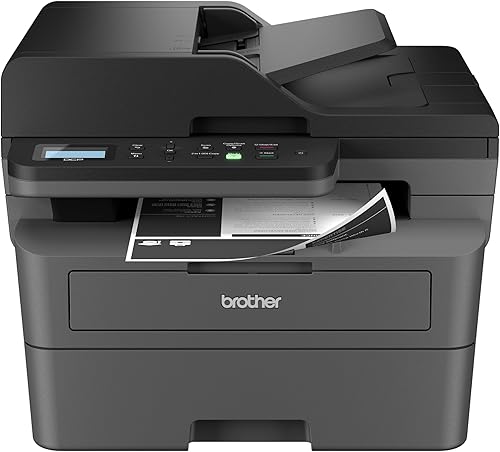
Brother DCP-L2640DW: Best for home paperwork
- Print, copy and scan
- Up to 36 ppm in black and white
- 50-page auto document feeder
- Automatic duplex printing
One compact black and white printer handles print jobs, copies and scans, with a document feeder that saves standing at the glass.
Pros
- Prints, copies and scans
- 50-page document feeder
- Automatic two-sided printing
Cons
- Black and white only
The DCP-L2640DW suits a home where worksheets, bills and copies all land on the same desk. It prints, copies and scans, so one machine replaces the separate printer and scanner many households end up buying.
36 ppm in black and white keeps a stack of homework moving, and the 50-page auto document feeder means multi-page scans and copies do not need you to lift the lid for each sheet. Automatic duplex printing saves paper on longer documents.
The flatbed is there too for a single page or a book cover, so you are not forced to the feeder for every scan.
The 250-sheet tray reduces how often you reload paper, which matters in a busy house. Dual-band wireless, Ethernet and USB cover almost any home network, and the 8.5-second first page means short jobs finish while you are still standing there.
The Brother Mobile Connect app handles phone printing and supply tracking.
The trade-off is color. This is a black and white printer, so anything that needs color goes elsewhere.
If your family prints photos or color school projects, look at the MFC-L8930CDW instead. The toner family is shared with the rest of the mono models here, which keeps replacement simple.
Brother HL-L2405W: Best for print-only setups
- Print only
- Up to 30 ppm in black and white
- 250-sheet paper tray
- Built-in dual-band wireless
The simplest way to get crisp black text at home. No scanner or copier, so it stays small and light.
Pros
- Light and compact
- 250-sheet paper tray
- Manual feed slot for envelopes
Cons
- No scan or copy functions
- Manual duplex only
The HL-L2405W suits a home that prints text and rarely copies or scans. Dropping the scanner and copier keeps it small and light at 15.1 lb, so it fits on a shelf or a corner of the desk where a full all-in-one would not.
Its footprint is 14 in wide and 7.2 in tall, the smallest here.
Up to 30 ppm is quick enough for a family that prints a few dozen pages a week. The 250-sheet tray means fewer refills, and the manual feed slot handles envelopes and specialty paper for invitations or shipping.
It prints up to legal size, 8.5 x 14 in, when a form needs the longer sheet.
Built-in dual-band wireless lets several devices share the printer without a cable. The 8.5-second first page is the same as the top pick, so short jobs feel just as fast.
It uses the same TN830 and TN830XL toner as the all-in-ones, so supplies are easy to find.
Its main limitation is the missing scanner and copier. It also flips pages manually for two-sided printing, so duplex jobs mean reloading the sheet yourself.
If you copy anything more than rarely, the DCP-L2640DW is the better buy. Otherwise this is the least complicated way to get crisp text.
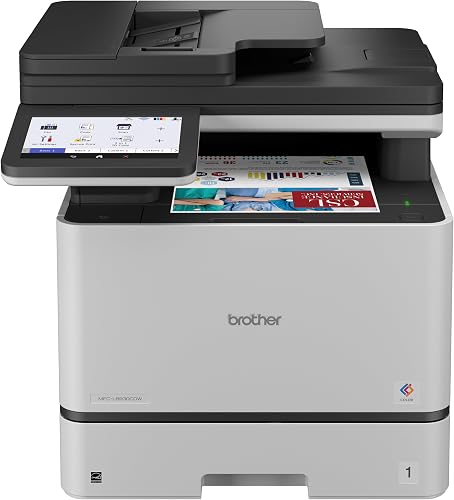
Brother MFC-L8930CDW: Best for color and volume
- Color print, copy and scan
- Up to 33 ppm in color or black
- 104 ipm two-sided scanning
- 7 in color touchscreen
Built for a busy home office that prints color flyers, school projects and client documents. The scanner reads both sides in one pass.
Pros
- Color output at 33 ppm
- Two-sided scanning up to 104 ipm
- Large 7 in touchscreen
Cons
- Heavy at 71.2 lb
The MFC-L8930CDW suits a home office that prints color flyers, client documents or school projects in volume. It prints and copies in color or black at up to 33 ppm, so switching between a black text page and a color handout does not slow the job down.
The 48-bit color depth covers the smooth gradients a busy home office needs for handouts and photos.
Two-sided scanning up to 104 ipm through the 80-page feeder is the standout feature. The scanner reads both sides in one pass, so a stack of contracts or forms becomes a digital file quickly.
The 7 in color touchscreen holds up to 64 shortcuts for tasks you repeat, and you can scan straight to cloud, email or SharePoint and create searchable Office documents.
It arrives with 3,000-page black and 1,800-page color toner, and the TN635XXL cartridges stretch to 7,500 black and 6,500 color pages. The triple layer security features and NFC badge reader suit a shared workspace.
Legal-size glass covers longer documents.
The trade-off is weight and size. At 71.2 lb and 21.6 in tall, it needs a sturdy desk and help to move.
It is also the priciest pick here, so choose it only when color and scanning volume justify it. The EPEAT Gold rating and EPS-free packaging are small bonuses for a machine this big.
Brother HL-L2480DW: Best for flatbed scanning
- Print, copy and scan
- Up to 36 ppm in black and white
- 2.7 in touchscreen
- Automatic duplex printing
A flatbed glass handles books and IDs that a document feeder cannot. Prints and copies at the same speed as the top pick.
Pros
- Flatbed scanner for books and cards
- 2.7 in touchscreen
- ENERGY STAR and EPEAT Silver rated
Cons
- No automatic document feeder
The HL-L2480DW suits homes that scan books, IDs and awkward documents. Its flatbed glass handles items a document feeder cannot, while still printing and copying at up to 36 ppm.
Automatic duplex printing keeps long text documents tidy and saves paper. The 2.7 in touchscreen lets you print from and scan to cloud apps like Google Drive and Dropbox without opening a laptop.
Dual-band wireless, Ethernet and USB cover the same network options as the top pick. Copies run up to 360 per job, so a long stack of handouts is no problem.
At 22.2 lb it is lighter than the DCP-L2640DW and stands 10.7 in tall, so it tucks under a shelf more easily. Brother rates it ENERGY STAR and EPEAT Silver for efficiency.
The 250-sheet tray and manual feed slot cover everyday paper plus envelopes.
The trade-off is the missing document feeder. Long scans and copies mean placing each page on the glass, which adds time to big jobs.
Choose this one when the flatbed matters more than feeder speed. It prints as fast as the top pick but asks you to stand there while you scan.
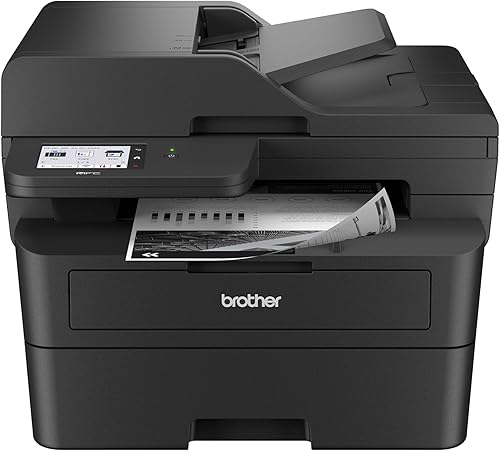
Brother Professional Laser Printer with Scanner: Best for small business desks
- Print, copy, scan and fax
- Up to 36 ppm in black and white
- Single-pass two-sided scanning
- 3.5 in touchscreen
Adds fax and two-sided scanning to a 36 ppm mono printer. The bigger touchscreen suits shared desks and cloud printing.
Pros
- Single-pass duplex scanning
- Fax built in
- First page out in 6.9 seconds
Cons
- Bulkier than the DCP-L2640DW
The Brother Professional Laser Printer with Scanner suits a small business run from home that needs fax and fast two-sided scanning. It prints, copies, scans and faxes at up to 36 ppm in black and white, and its first page arrives in 6.9 seconds.
Single-pass two-sided scanning through the 50-page feeder is the feature that separates it from the cheaper mono all-in-ones. The 3.5 in touchscreen gives you more room for cloud apps and settings, and the 250-sheet tray keeps refills rare.
Copies run up to 250 per job.
Brother says the improved fuser design cuts electricity use by 22% versus its predecessor and shortens warm-up from sleep. Automatic duplex printing handles everyday volume, and the printer ships with a 700-page starter toner and a DR830 drum rated for 15,000 pages.
The trade-off is bulk and price against the DCP-L2640DW. If you do not fax and rarely scan both sides of long documents, the simpler all-in-one covers the same printing job for less.
The larger touchscreen is the other reason to step up.
Brother MFC-L2820DW: Best for fax and copies
- Print, copy, scan and fax
- Up to 34 ppm in black and white
- 50-page auto document feeder
- 2.7 in touchscreen
A four-in-one mono printer for a home office that still sends faxes. The document feeder makes long copy jobs easy.
Pros
- Fax included
- 50-page document feeder
- Automatic two-sided printing
Cons
- Slower than the top three mono picks
The MFC-L2820DW suits a home office that still sends faxes and makes a lot of copies. It prints, copies, scans and faxes, with a 50-page auto document feeder for multi-page jobs and automatic duplex printing to save paper.
Copies run up to 99 per job.
Up to 34 ppm is a little slower than the DCP-L2640DW and HL-L2480DW, but still quick for a household. The 2.7 in touchscreen covers cloud app printing and scanning, and the 250-sheet tray keeps refills rare.
It handles paper up to legal size, 8.5 x 14 in.
It shares the same dual-band wireless, Ethernet and USB options as the other mono models. At 22.5 lb it sits in the middle of the group on weight.
ENERGY STAR and EPEAT Silver ratings round out the efficiency side.
The trade-off is speed for the price. The DCP-L2640DW prints faster and costs less, so pick this one only when fax matters or the touchscreen is worth the step down in ppm.
For a home that sends the odd fax to a doctor or school, that trade can still make sense.
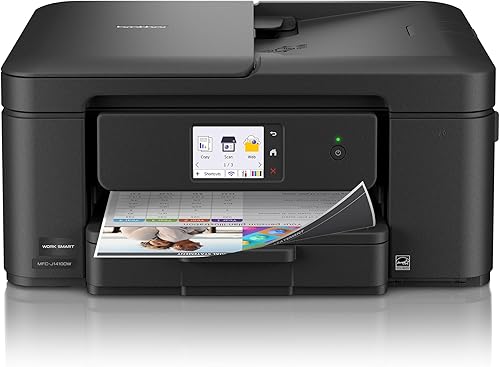
Brother Work Smart 1410 Wireless Color Inkjet: Best for low-volume color
- Print, copy, scan and fax
- Up to 16 ppm black and 9 ppm color
- 2.7 in color touchscreen
- Automatic duplex printing
The cheapest way into color and photos here. Ink costs more per page than toner, so it suits light printing.
Pros
- Lowest entry cost for color
- Cloud app support
- Automatic duplex printing
Cons
- Ink costs more per page than toner
- Slower than the lasers
The Work Smart 1410 is the pick for a home that needs color and does not print heavily. It prints, copies, scans and faxes, and the color output handles school projects, photos and color forms that a mono laser cannot.
It uses Brother Genuine LC501 ink, with multipack and high-yield options.
Automatic duplex printing and a 2.7 in color touchscreen give this compact inkjet the convenience features the mono lasers also carry. The 20-sheet document feeder and 150-sheet tray are smaller than the laser feeders and trays, which suits lighter volume.
Brother's Mobile Connect app covers phone printing and ink monitoring through Page Gauge.
It prints up to 16 ppm in black and 9 ppm in color. The first page comes out in about 6.2 seconds for black and 9.6 seconds for color, so color jobs take longer to start than the lasers.
Copy speed tops out at 11 ppm in black.
The trade-off is running cost. Ink costs more per page than toner and can dry out if the printer sits unused.
If color is occasional, a mono laser plus a cheap inkjet for photos often works out better. For light mixed use, though, this one covers color, copies and fax in a compact 13.5 in deep box.
How these Brother home printers compare
The table lines up the functions, print speed and duplex setting for all 7 models. Read down the functions column first, since that is what separates a print-only box from a full all-in-one.
Then check duplex and paper size against how your household actually prints.
| Product | Best for | Functions | Print speed | Duplex | Our score |
|---|---|---|---|---|---|
| Brother DCP-L2640DW | home paperwork | Print, copy, scan | Up to 36 ppm | Automatic | 8.6 |
| Brother HL-L2405W | print-only setups | Print only | Up to 30 ppm | Manual | 8.2 |
| Brother MFC-L8930CDW | color and volume | All-in-one | Up to 33 ppm | Automatic | 8.2 |
| Brother HL-L2480DW | flatbed scanning | Print, copy, scan | Up to 36 ppm | Automatic | 8.2 |
| Brother Professional Laser Printer with Scanner | small business desks | All-in-one | Up to 36 ppm | Automatic | 8.1 |
| Brother MFC-L2820DW | fax and copies | All-in-one | Up to 34 ppm | Automatic | 7.9 |
| Brother Work Smart 1410 Wireless Color Inkjet | low-volume color | All-in-one | Up to 16 ppm black | Automatic | 7.8 |
How we compared these Brother printers
We compared the specs that decide how a printer fits a home: functions, print speed, duplex, paper capacity, connection options and weight. We also weighed the price tier each model sits in against what it includes.
Paper size and copy limits matter too, since a legal-size job or a 250-copy run narrows the field fast.
Our score weighs specs, features and buyer feedback against what you're shopping for. A home that prints text cares most about speed and toner cost.
A family with school projects may care more about scanning and color. A home office with a fax line needs the four-in-one machines.
The highest score goes to the model that covers the most common home job without extra bulk. Lower scores reflect a narrower fit, not a bad printer.
If you want the wider laser market in view, our complete guide to the best laser printer for home use compares brands and types.
Which Brother printer fits your home?
Start with one question: do you copy and scan, or only print? The answer splits the list almost in half and saves you from paying for a scanner glass you never lift.
After that, weigh duplex, color and feeder size against the pages your home really produces.
What should a print-only household buy?
The HL-L2405W is the pick for text volume at home. It prints up to 30 ppm, holds 250 sheets and connects over dual-band wireless.
Its manual duplex is the one catch if you print long two-sided documents. If you also copy or scan, skip it and take the DCP-L2640DW.
The HL-L2405W connects over USB as well, so a home that wants a wired link to a single computer can still use a cable.
What should a family that copies and scans buy?
The DCP-L2640DW covers copy and scan with a 50-page feeder at 36 ppm. If you scan books and cards more than stacks of paper, the HL-L2480DW and its flatbed glass is the better fit.
Pick the MFC-L2820DW only when fax matters. The MFC-L2900DW is the step up when you want single-pass two-sided scanning and a bigger touchscreen at the same 36 ppm.
When is color worth the extra cost?
Color is worth it when your household prints photos, color school projects or client handouts. The MFC-L8930CDW does that at 33 ppm with two-sided scanning and a 7 in screen.
For light color volume, the Work Smart 1410 costs less up front, but ink costs more per page and prints far slower. Check whether the color jobs are frequent enough to carry the running cost.
How much speed does a home really need?
30 to 36 ppm covers almost every home. The difference between 30 and 36 ppm is a few seconds on a 20-page job.
A printer's first page time and warm-up matter more for the short jobs most homes run. The MFC-L2900DW is the fastest to first page at 6.9 seconds, just ahead of the 8.5-second group.
The color laser sits at 9.9 seconds and the inkjet at 6.2 for black.
What about toner and long-term cost?
Toner is the main running cost on a mono laser. The mono models here share the TN830 and TN830XL toner family, and Brother offers a subscription that delivers toner automatically.
High-yield cartridges cut cost per page if you print often. The color laser uses the separate TN635 line in standard, high and super high yield.
Our Brother laser printer guide goes model by model if you want to compare toner yields.
Do I need a document feeder or a flatbed more?
It depends on what you scan. A 50-page feeder clears stacks of bills and contracts without lifting the lid each time, which is why it comes with the DCP-L2640DW, MFC-L2820DW and MFC-L2900DW.
A flatbed glass handles books, passports and odd sizes, and the HL-L2480DW gives you that without a feeder. The MFC-L2900DW and MFC-L8930CDW give you both, plus two-sided scanning.
The verdict: which Brother printer to buy for home use
The best Brother printer for home use is the DCP-L2640DW for most families. It prints fast, scans from a feeder and keeps paper handling simple in one compact box.
Buy the HL-L2405W if you only print, or the MFC-L8930CDW if color and volume matter more than size.
If your family needs color occasionally rather than in volume, the Work Smart 1410 inkjet is the cheaper way in. For a desk that scans books and cards, the HL-L2480DW and its flatbed glass is the better fit.
Our Brother vs HP laser printer comparison helps if you are still choosing a brand.
For color buyers weighing more options, our best color laser printer for home use roundup is the next stop.
Our top 3 picks at a glance
-
1
-
2
-
3
Frequently asked questions
What is the best Brother printer for home use overall?
The Brother DCP-L2640DW is the best fit for most homes because it prints, copies and scans at up to 36 ppm, and its 50-page document feeder handles multi-page jobs. Pick the HL-L2405W only if you print and never copy or scan.
Is a Brother laser printer good for a home with kids?
Yes. A mono laser like the DCP-L2640DW handles school worksheets and permission slips quickly, and toner sits longer between replacements than ink.
For color projects and photos, step up to the MFC-L8930CDW or keep a cheap inkjet for occasional color jobs.
Do Brother home printers print on both sides of the paper?
Several do. The DCP-L2640DW, HL-L2480DW, MFC-L2820DW, MFC-L2900DW and MFC-L8930CDW all duplex automatically.
The HL-L2405W is the exception here: it flips pages manually, so you reload the sheet yourself for two-sided prints.
How fast does a Brother laser printer print?
The mono models here reach 30 to 36 pages per minute for one-sided black text. The HL-L2405W is the slowest at 30 ppm, while the DCP-L2640DW, HL-L2480DW and MFC-L2900DW hit 36 ppm.
Real speed drops when you print both sides.
Should I choose a Brother laser or a Brother inkjet for home use?
Choose a laser for text volume and toner that does not dry out, and an inkjet when color photos matter more than cost per page. The Work Smart 1410 inkjet prints color at up to 9 ppm, far behind the mono lasers, so keep it for light color work.
Can I print from my phone to a Brother home printer?
Yes. Every printer in this roundup supports the Brother Mobile Connect app for printing and scanning from a phone or tablet.
Most of the mono models also offer dual-band Wi-Fi and Ethernet, and most support cloud printing from the touchscreen or the app.


