6 Best Brother Laser Printers, Model by Model (October 2026)
The best Brother laser printers include the Brother HL-L2460DW (best all-round brother for a home office), the Brother DCP-L2640DW for copying and scanning at home, and the Brother HL-L2480DW for a touchscreen and a flatbed scanner.
On this page (13 sections)
- The 6 best Brother laser printers in detail
- Side by side: Brother laser printers by speed, duplex and weight
- How we picked these six Brother models
- What the letters in a Brother model name mean
- Which Brother fits a home office, a copy desk or a color job?
- Mono or color Brother, and what the toner costs
- Brother or HP for a home printer?
- Setup tips for a Brother on a home network
- Toner and drum planning for a Brother
- Which Brother fits a shared home office
- When a Brother color printer is worth the extra
- Desk room for each Brother model
- Which Brother laser printer should you buy?
The best Brother laser printer for most homes is the HL-L2460DW. It prints fast, two-sided pages without a manual flip, and it connects by Wi-Fi or Ethernet.
Brother's line covers simple mono printers, copy-and-scan models and a few color options. The right model depends on what you do with the printer.
Brother has a long run of model numbers, and they're easy to sort once you know the code. The HL line is a printer, DCP adds copy and scan, and MFC adds fax, so the letters tell you the job before you read a spec.
We looked at six Brother models that cover the home range, from a simple mono printer to a color option. Each one has its own strength, and the one you pick should match your desk and your print habits.
Our picks at a glance
-
1

-
2

-
3

The 6 best Brother laser printers in detail
The HL-L2460DW scores highest because it pairs fast automatic duplex with Wi-Fi and Ethernet, which covers most home offices. The DCP-L2640DW and the HL-L2480DW follow with copy and scan options, then come the simple HL-L2405W, the color model and the fax model.
Brother HL-L2460DW
- 36 pages a minute in black
- Automatic duplex
- Dual-band Wi-Fi and Ethernet
- 250-sheet paper tray and a manual feed slot
The Brother to start with for a home office. It prints fast two-sided pages, and it connects by Wi-Fi or Ethernet.
Pros
- 36 pages a minute with automatic duplex
- Wi-Fi and Ethernet both built in
- Brother backs it with a 1-year limited warranty
Cons
- Print only, with no scanner or copier
- Its toner is rated at 1,200 pages for the standard cartridge, so the XL suits steady printing
The HL-L2460DW is the Brother we'd start with for a home office. It prints at 36 pages a minute in black, and automatic duplex means two-sided pages come out without a manual flip.
It connects over dual-band Wi-Fi and Ethernet, so a wired port helps when a back room has weak wireless. A 250-sheet tray keeps refills down, and the manual feed slot takes envelopes and specialty paper.
At 15.6 pounds, it's light enough to move alone. Brother backs it with a 1-year limited warranty, and it says its support covers the life of the printer.
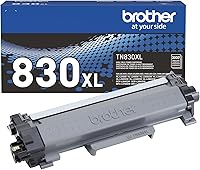
The toner is the TN-830 family, rated at up to 1,200 pages for the standard cartridge and up to 3,000 for the XL. The XL suits a printer that gets steady use.
Brother DCP-L2640DW
- 36 pages a minute in black
- Copy, scan and automatic duplex
- 50-page document feeder
- Mobile Connect app
The copy and scan model in the same speed class as the HL-L2460DW. It fits a desk that copies and scans as well as prints.
Pros
- 50-page feeder for multi-page originals
- Same 36 pages a minute as the HL-L2460DW
- Mobile Connect for printing and scanning from a phone
Cons
- At 25 pounds, the heaviest mono pick here
- Takes more desk room than a print-only model
The DCP-L2640DW adds copying and scanning to the same 36-page speed as the HL-L2460DW. It prints at 36 pages a minute in black, with automatic duplex, and it copies and scans through a 50-page document feeder.
The feeder handles multi-page originals in one pass, so a stack of pages doesn't need a page-by-page scan. Wi-Fi and Ethernet come built in, and the Brother Mobile Connect app prints and scans from a phone.
It's a bigger machine, at 25 pounds and about 16 inches wide, so it needs more desk room than the HL models. Its toner is the same TN-830 family as the HL-L2460DW.
Brother HL-L2480DW
- 36 pages a minute in black
- Flatbed scanner and copier
- 2.7-inch touchscreen
- Automatic duplex, USB, Wi-Fi and Ethernet
A 3-in-1 with a touchscreen that prints to and scans from cloud apps. It's the choice when you want the scanner without the feeder.
Pros
- Touchscreen for cloud apps such as Google Drive and Dropbox
- Same 36 pages a minute as the top two
- Automatic duplex
Cons
- Flatbed scans one page at a time, which is slow for long stacks
- At 22.2 pounds, it's heavier than the HL-L2460DW
The HL-L2480DW is a 3-in-1 with a flatbed scanner and copier, plus a 2.7-inch touchscreen on the front. It prints at 36 pages a minute in black, with automatic duplex.
The touchscreen can print from and scan to cloud apps such as Google Drive and Dropbox, which saves a trip to the computer. USB, Wi-Fi and Ethernet are all built in, so it fits most desk setups.
The flatbed scanner works one page at a time, which is slower than a feeder for a long stack. At 22.2 pounds, it's heavier than the HL-L2460DW, so measure the shelf first.
It takes the same TN-830 toner family as the HL-L2460DW.
Brother HL-L2405W

- 30 pages a minute in black
- 250-sheet paper tray
- Manual duplex
- Brother Mobile Connect app
The simplest Brother here: a print-only mono with a 250-sheet tray and a phone app. It's a good fit for a desk that prints mostly single pages.
Pros
- 250-sheet tray
- Mobile Connect for printing from a phone
- Brother backs it with a 1-year limited warranty
Cons
- Two-sided pages need a manual flip
- Slower than the 36-page models in this group
The HL-L2405W is the simplest Brother on this list. It prints at 30 pages a minute in black, from a 250-sheet tray, so it covers everyday documents without fuss.
Duplex is manual on this model, so two-sided pages need a flip by hand. Brother Mobile Connect lets you print from a phone and track toner use, and a manual feed slot takes envelopes and heavier paper.
At 15.1 pounds, it weighs less than the DCP-L2640DW, and its footprint is about 14 inches square. Brother backs it with a 1-year limited warranty, and its cartridges are the same TN-830 family as the HL-L2460DW.
Brother HL-L3280CDW

- 27 pages a minute, color and black
- Automatic duplex
- 2.7-inch touchscreen
- Ethernet and Wi-Fi
The only color printer in this roundup, with duplex and a touchscreen. It suits a home that prints color documents regularly.
Pros
- Color and black printing at 27 pages a minute
- Cloud printing from apps such as Google Drive
- Automatic duplex
Cons
- Heaviest pick at 33.9 pounds
- Color adds separate toner cartridges, so running costs rise with color use
The HL-L3280CDW is the only color printer in this roundup. It prints color and black at 27 pages a minute, with automatic duplex and a 2.7-inch touchscreen.
It prints from cloud apps such as Google Drive and Dropbox, and Ethernet and Wi-Fi come built in. Its toner family is the TN-229, which also covers the color MFC-L3780CDW.
Color adds separate cyan, magenta, yellow and black cartridges, so running costs rise with color use. At 33.9 pounds, it's the heaviest pick here, so give it a firm shelf.
Brother MFC-L2820DW

- 34 pages a minute in black
- Copy, scan and fax
- 50-page document feeder
- Automatic duplex
The fax model in this group, with a feeder and automatic duplex. It suits an office that still sends and receives faxes.
Pros
- Fax, copy and scan in one body
- 50-page feeder
- Automatic two-sided printing
Cons
- Slower than the 36-page models
- At 22.5 pounds, it needs a sturdy spot
The MFC-L2820DW is the fax model in this roundup, adding fax to print, copy and scan. It prints at 34 pages a minute in black, with automatic duplex, so two-sided jobs run without a flip.
A 50-page document feeder handles multi-page originals for copy and scan jobs. Wi-Fi, Ethernet and USB cover most desk setups.
At 22.5 pounds, it's lighter than the DCP-L2640DW but still a desk-sized machine. Its toner is the TN-830 family, the same as the HL-L2460DW.
Side by side: Brother laser printers by speed, duplex and weight
Four of the six print at 34 or 36 pages a minute, so speed separates them less than duplex and weight do. The DCP-L2640DW is the heaviest mono model here at 25 pounds.
| Product | Best for | Print speed | Duplex | Weight | Our score |
|---|---|---|---|---|---|
| Brother HL-L2460DW | all-round Brother for a home office | 36 pages a minute, black | Automatic | 15.6 lb | 8.8 |
| Brother DCP-L2640DW | copying and scanning at home | 36 pages a minute, black | Automatic | 25 lb | 8.6 |
| Brother HL-L2480DW | a touchscreen and a flatbed scanner | 36 pages a minute, black | Automatic | 22.2 lb | 8.2 |
| Brother HL-L2405W | a Brother on a tight budget | 30 pages a minute, black | Manual | 15.1 lb | 8.2 |
| Brother HL-L3280CDW | color prints at home | 27 pages a minute, color and black | Automatic | 33.9 lb | 8.0 |
| Brother MFC-L2820DW | faxing from the desk | 34 pages a minute, black | Automatic | 22.5 lb | 7.9 |
Automatic duplex runs on five of the six, and only the HL-L2405W needs a manual flip.
For budget options outside the Brother line, see the best budget laser printers guide.
Weight runs from 15.1 pounds to 33.9 pounds. The two copy-and-scan models and the color printer are the ones to measure before you buy.
How we picked these six Brother models
We compared the print speed, duplex, Wi-Fi, paper tray, scanner and weight for each model. We also checked the toner family, since the cartridge code sets the running cost after the printer price.
Our score weighs specs, features and buyer feedback against what you're shopping for. Scores run from 1 to 10, and the scores here rank how well each model fits a home or home office.
Here's how the six landed:
- HL-L2460DW, 8.8: the best all-round Brother, with automatic duplex and Wi-Fi.
- DCP-L2640DW, 8.6: the same speed with copy, scan and a 50-page feeder.
- HL-L2480DW, 8.2: a flatbed scanner and a touchscreen, without a feeder.
- HL-L2405W, 8.2: the simplest Brother, with manual duplex.
- HL-L3280CDW, 8.0: the color option, with a heavier body and color running costs.
- MFC-L2820DW, 7.9: fax, a feeder and automatic duplex, at 34 pages a minute.
What the letters in a Brother model name mean
HL models are printers. DCP models print, copy and scan without fax, and MFC models add fax to the same mix.
The digits after the letters mark the model series. Use the full model name when you look up toner and drum codes, since similar names can take different cartridges.
Which Brother fits a home office, a copy desk or a color job?
For a home office that prints a steady flow of text pages, the HL-L2460DW is the pick. It's fast, and it can print both sides of a sheet without help, which saves paper.
For a desk that copies and scans as well as prints, the DCP-L2640DW or the HL-L2480DW is the better fit. The feeder suits stacks, and the flatbed suits books and single pages.
For a color job, the HL-L3280CDW is the only option here. Expect higher running costs, and check the toner before you commit.
Mono or color Brother, and what the toner costs
Mono Brothers run on one toner, so the cost per page is easier to track. A color printer runs four toners, and each color has its own yield and its own price, so the cost depends on your color use.
Work out the cost per page for the cartridge you'll buy, using its rated yield, and compare the result for each model. The laser printer cost per page guide shows the math, and the Brother toner guide explains which code fits which model.
Brother or HP for a home printer?
Both brands make strong home models, and the choice often comes down to the model you need. Brother's TN-830 family covers several mono printers, which keeps your toner options simple.
Our Brother vs HP laser printer comparison looks at the two brands side by side. If you'd rather look at the wider field first, the pillar guide lists the strongest picks from all brands.
Setup tips for a Brother on a home network
Brother's Mobile Connect app covers printing and toner tracking on the models that support it. Install the app before you unbox the printer, so the setup steps are ready when you need them.
Dual-band models can pick either the 2.4 GHz or the 5 GHz band. After setup, check which band the printer joined, so you know whether it reaches the far corners of the house.
Toner and drum planning for a Brother
Each Brother model has a toner code and a drum code, and they're separate purchases. Track both when you order, so the printer doesn't stop mid-week.
Our drum replacement guide explains the drum codes, and the Brother toner guide covers the cartridge side.
Which Brother fits a shared home office
A shared room needs a printer that more than one person can reach over the network. The HL-L2460DW and the HL-L2480DW both connect by Wi-Fi and Ethernet, so either works on a shared network.
If several people copy and scan, the DCP-L2640DW and the MFC-L2820DW both have a feeder that keeps the work moving. Pick the one with the controls that suit the people using it most.
When a Brother color printer is worth the extra
Choose the HL-L3280CDW only when color pages are a regular part of the job. A mono printer runs cheaper for text-heavy work, since it uses one toner.
Our best color laser printer for home use guide covers the color models in more depth.
Desk room for each Brother model
Best Brother laser printer depth and height by model
The copy-and-scan models and the color printer are 15.7 inches deep. The HL-L2460DW and the HL-L2405W are 14.2 inches deep, and they're the lowest profile in this roundup.
- HL-L2460DW and HL-L2405W: 14.2 deep, 14 wide and 7.2 tall.
- DCP-L2640DW and MFC-L2820DW: 15.7 deep, 16.1 wide and 12.5 tall.
- HL-L2480DW: 15.7 deep, 16.1 wide and 10.7 tall.
- HL-L3280CDW: 15.7 deep, 10.8 wide and 15.7 tall.
Measure the depth before you pick a shelf, since the scanners need room to open. The color model is the tallest, so check the clearance above it as well.
Which Brother laser printer should you buy?
Pick the HL-L2460DW for a home office with two-sided printing and Wi-Fi, and the DCP-L2640DW if copying and scanning matter too. Pick the HL-L2480DW for a touchscreen and a flatbed, and the MFC-L2820DW if you still need fax.
Pick the HL-L2405W for the simplest Brother on a tight desk, and the HL-L3280CDW only if you need color. Measure the spot, check the toner family, and choose the model that matches your desk.
Our top 3 picks at a glance
-
1
-
2
-
3
Frequently asked questions
Which Brother laser printer is the best for a home office?
The HL-L2460DW is the best all-round pick for a home office, since it prints 36 pages a minute with automatic duplex. If you also copy and scan, the DCP-L2640DW is the better fit.
What do the letters in a Brother model name mean?
HL models are printers, DCP models print, copy and scan without fax, and MFC models add fax. The number that follows is the model series, so the letters tell you the main job before you read the specs.
Is a Brother laser printer better than an HP for home?
Both brands make strong home models, and the right pick depends on the exact model. Brother's TN-830 family covers several mono printers, which keeps toner choices simple.
Which Brother laser printer prints color?
The HL-L3280CDW is the color model in this roundup. It prints color and black at 27 pages a minute, with automatic duplex and a touchscreen.