Brother Laser Printer Drum Replacement: When and How
Brother laser printer drum replacement is due when the printer shows a drum warning or the print turns faint, streaky or spotted even after new toner. Match the drum code to your model first, since the drum and the toner are separate parts with separate codes.
On this page (11 sections)
- When a Brother drum needs replacing
- Drum or toner: which one is the problem?
- Which drum fits your Brother printer?
- Brother laser printer drum replacement steps
- Keep the new drum in good shape
- What to check after the drum swap
- Reset the drum counter, if your model asks
- Recycle the old drum
- What the drum does in the print path
- When to swap the drum and when to replace the printer
- So when should you replace the drum?
Brother laser printer drum replacement is due when the printer shows a drum warning, or when the print turns faint, streaky or spotted even after new toner. Match the drum code to your model first, since the drum and the toner are separate parts with separate codes.
When a Brother drum needs replacing
Watch for a drum warning on the panel or in the software. That message is the printer's clearest signal that the drum is near the end of its life.
Print quality tells you the rest. Faint pages, streaks that run down the sheet and marks that repeat at the same spacing on every page all point to the drum.
Check the drum before you buy toner
Fresh toner can't fix a drum that is worn. If the streaks stay after a new cartridge, the drum is the likely cause, so swap that part first.
Print a clean test page after each change, so you know which part fixed the problem. That habit saves you from buying a second part you don't need.
Drum or toner: which one is the problem?
Start with the warning on the panel, since it often names the part. A toner warning points to the cartridge, and a drum warning points to the drum.
If the warning names neither part, look at the print. Even, faint text across the whole page usually means low toner, while repeating marks on every page usually mean the drum.
Which drum fits your Brother printer?
Brother laser printer drum replacement codes by family
Each drum has its own code, and the code has to match your printer's family. Check the model name on the label before you order.
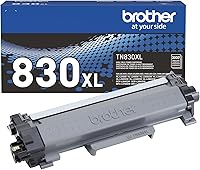
- DR-830: the drum for the TN-830 family, such as the HL-L2460DW and DCP-L2640DW.
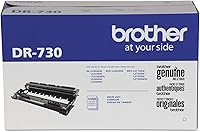
- DR-730: the drum for older models such as the HL-L2350DW and MFC-L2710DW, rated for up to 12,000 pages.
- DR-229CL: the drum for the color models that take the TN-229 toner, such as the MFC-L3780CDW.
Brother laser printer drum replacement steps
Turn the printer off and let it cool for a few minutes before you open it, since the fuser inside gets hot. Then open the front cover and lift out the drum unit, which carries the toner cartridge on most models.
Release the toner cartridge from the old drum, then fit it into the new drum. Slide the new drum and toner back into the printer, close the covers, and turn the printer on.
The steps differ a little by model, so follow the picture for your printer in its manual. Keep the old parts packaging nearby, since you'll need it for recycling later.
Keep the new drum in good shape
Don't touch the drum's surface, since oils from fingers can mark the print. Handle the drum by its frame and keep it out of direct light for longer than the manual allows.
Install the drum soon after you unpack it, rather than leaving it out while you clean or hunt for a cable. While you work, keep it out of bright light.
What to check after the drum swap
Print one test page as soon as the new drum is in and the covers are shut. A clean page tells you the swap worked, and a faint or streaked page sends you back to the seating steps.
If the drum warning stays on after the swap, check that the drum is fully seated and that the counter reset is done. A warning that lingers often means a step was skipped, not that the new drum is faulty.
Reset the drum counter, if your model asks
Some Brother printers keep a count of how many pages the drum has printed. After a swap, that count has to reset, or the printer keeps warning you about the old drum.
Check the drum section of your manual for the reset steps. If the printer doesn't ask for a reset, skip it, since the reset is a model-specific step.
Recycle the old drum
Brother's recycling program encourages owners to return used drum units, so they can be recycled and kept out of landfills. Keep the old drum in its packaging until you have a return option.
Ask about return steps when you order the new drum, since the box or the maker's site lists the current options.
What the drum does in the print path
The drum carries the image that the laser writes, and it's where toner sticks before it moves to the paper. When the drum wears, the image gets weaker or less even, which shows up as faint or streaked pages.
That's why new toner doesn't fix a worn drum, since every page still passes over the same worn surface.
When to swap the drum and when to replace the printer
A drum swap makes sense when the printer is still sound and the print is the only problem. Compare the drum cost with a new entry-level printer before you order, since a worn drum on an old printer can be the sign to switch.
Our how long do laser printers last guide explains how drums and other parts set the pace. For the toner side of the same job, read the toner guide.
So when should you replace the drum?
Replace the drum when the printer warns you, or when the print stays faint, streaky or spotted after a fresh toner. Match the drum code first, reset the counter if your model asks, and keep the old drum for recycling.
If the warning shows up with no toner, the no toner error guide covers the checks to run first.
Frequently asked questions
Does a new toner cartridge fix a worn drum?
Usually not. Fresh toner can't fix a drum that is worn or damaged, so the streaks or repeating marks stay.
Do I need to reset the drum counter after a swap?
Some Brother models ask you to reset the drum counter after a replacement, and others don't. Check the drum section of your manual, since the steps differ by model.
Can I recycle my old Brother drum?
Brother runs a recycling program that asks owners to return used drum units, so they can be recycled and kept out of landfills. Check Brother's site or the packaging of the new drum for return details.