Do Laser Printers Dry Out If You Print Rarely?
No, laser printers don't dry out the way inkjets do, because laser toner is a dry powder, not a liquid. A laser can sit idle for weeks, but damp rooms and long gaps can still cause trouble.
On this page (12 sections)
- Does laser toner dry out like inkjet ink?
- What can go wrong after a long break
- Which parts matter after a long idle period
- How to keep a rarely used laser ready
- How long can a laser printer sit unused?
- Damp paper and the feed
- A simple routine for a light printer
- Which laser suits a light home user
- When a rarely used printer won't print
- Storing a laser printer between jobs
- What to do before a long print job
- So do laser printers dry out?
No, laser printers don't dry out the way inkjets do, because toner is a dry powder. A laser can sit idle for weeks and still print, but long gaps and damp rooms can still cause small problems.
Does laser toner dry out like inkjet ink?
Inkjet ink is a liquid. When the nozzles sit unused, the ink can thicken and dry, which blocks the print head.
Laser toner is a fine powder that sits in a cartridge. Nothing in it dries inside the printer, so the usual inkjet problem doesn't apply.
What can go wrong after a long break
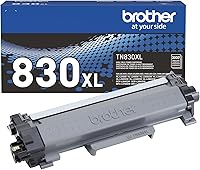
Toner can clump when it's stored in a damp room. Clumps can show up as faint spots or streaks on the first few pages after a long idle period.
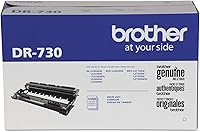
A drum that has sat unused can also print unevenly for a page or two. A short test run usually clears that up.
If the marks stay, the drum may be worn. Our drum replacement guide explains the signs to check.
Do laser printers dry out if the toner sits?
No, the toner stays powdery. The real risk is moisture, which makes the powder clump, so a dry spot is the best protection.
Which parts matter after a long idle period
The toner, the drum and the fuser are the parts that matter most after a long break. The fuser is the heated part that melts toner onto the page, so it needs a short moment to warm up each time.
A printer that has been off for a long time may take a little longer to start its first page. That's normal warm-up, not a fault.
How to keep a rarely used laser ready
Keep the printer in a dry, room-temperature spot, away from a window that gets direct sun. Heat and damp are the conditions that matter most for toner.
Print a test page every few weeks. It keeps the parts moving, and it shows a problem early, before a long print job is waiting.
How long can a laser printer sit unused?
There's no single limit that fits every printer. A few weeks of rest is an ordinary gap, and a test page shows whether anything needs attention.
A much longer break is a reason to check the toner and the drum before a big job. Print a few pages first, so any problem shows up on paper you don't need.
If you know a break is coming, such as a trip, run a test page just before you leave. Then run another when you return, so any change shows up while it's still easy to fix.
Damp paper and the feed
Paper picks up moisture in a damp room, and damp sheets can curl or stick in the feed. That can cause jams on the first pages after a long break.
Store paper in a sealed bag or box in the same dry room as the printer. Load fresh, flat sheets when you restart the printer.
A simple routine for a light printer
A short routine keeps a light-use laser ready without much effort. Most of it takes a minute or two.
- Print a test page every few weeks.
- Check the toner level in the printer's menu or its app.
- Keep the printer dry and out of direct sun.
- Turn it on a minute or two before a big job, so the fuser is warm.
Which laser suits a light home user
A light user needs a printer that wakes quickly and doesn't waste power while it waits. Mono models suit that job, since they have one toner and no color cartridges to dry or clump.
When a rarely used printer won't print
Start with the basics: check the paper, the toner level and the cover. A printer that sits unused can show a message that a quick check clears.
If the printer still won't print after a few test pages, read the troubleshooting pages in its manual. Our no toner error guide covers one common warning that many Brother owners see.
Storing a laser printer between jobs
Keep the printer on a desk or shelf, not on the floor where dust and drafts reach it. Close the lid and the tray when it's not in use, so paper and dust stay out.
If the printer has to go into storage, keep it in its box or a clean bag in a dry room. Let it reach room temperature before you power it on after a cold or hot stay.
What to do before a long print job
Before a big print run, print one test page and check the toner level. If the first pages look faint or streaked, run a few more test pages before you start the job.
A quick check now saves a stalled job later, and it takes about a minute. It's the simplest habit that keeps a rarely used laser ready.
So do laser printers dry out?
No. Laser toner is a dry powder, so the printer doesn't dry out the way an inkjet can.
The real risks after a long break are clumped toner in a damp room and a drum that prints unevenly for a few pages.
Keep the printer dry, print a test page every few weeks, and check the drum if streaks stay. For a full set of picks, the pillar guide lists the strongest home models.
Frequently asked questions
How often should I print on a laser printer I rarely use?
Print a page or two every few weeks to keep the printer working. It's an easy habit, and a regular test page shows a problem while it's still small.
Can a laser printer sit unused for months?
It can sit for a long time, since toner doesn't dry out like ink. Keep it in a dry, room-temperature spot, and print a test page before you start a long job.
Why does my laser printer show streaks after a long break?
Streaks can come from a worn drum, low toner or toner that has clumped in a damp room. Check the toner level and the drum first, then print a few test pages to see if the streaks stay.